A waste toner box receives toner removed from imaging surfaces during a printer or copier's cleaning cycle. Manufacturers may call the same functional part a waste toner container, waste toner bottle, tank, collector, cartridge, or bin. When it approaches capacity, the machine normally displays a preparation or replacement message; when it is full, many models pause printing until a correctly matched container is installed. This guide explains how the system works, how to replace it safely, what to check when a warning remains, and what B2B buyers should verify before ordering.
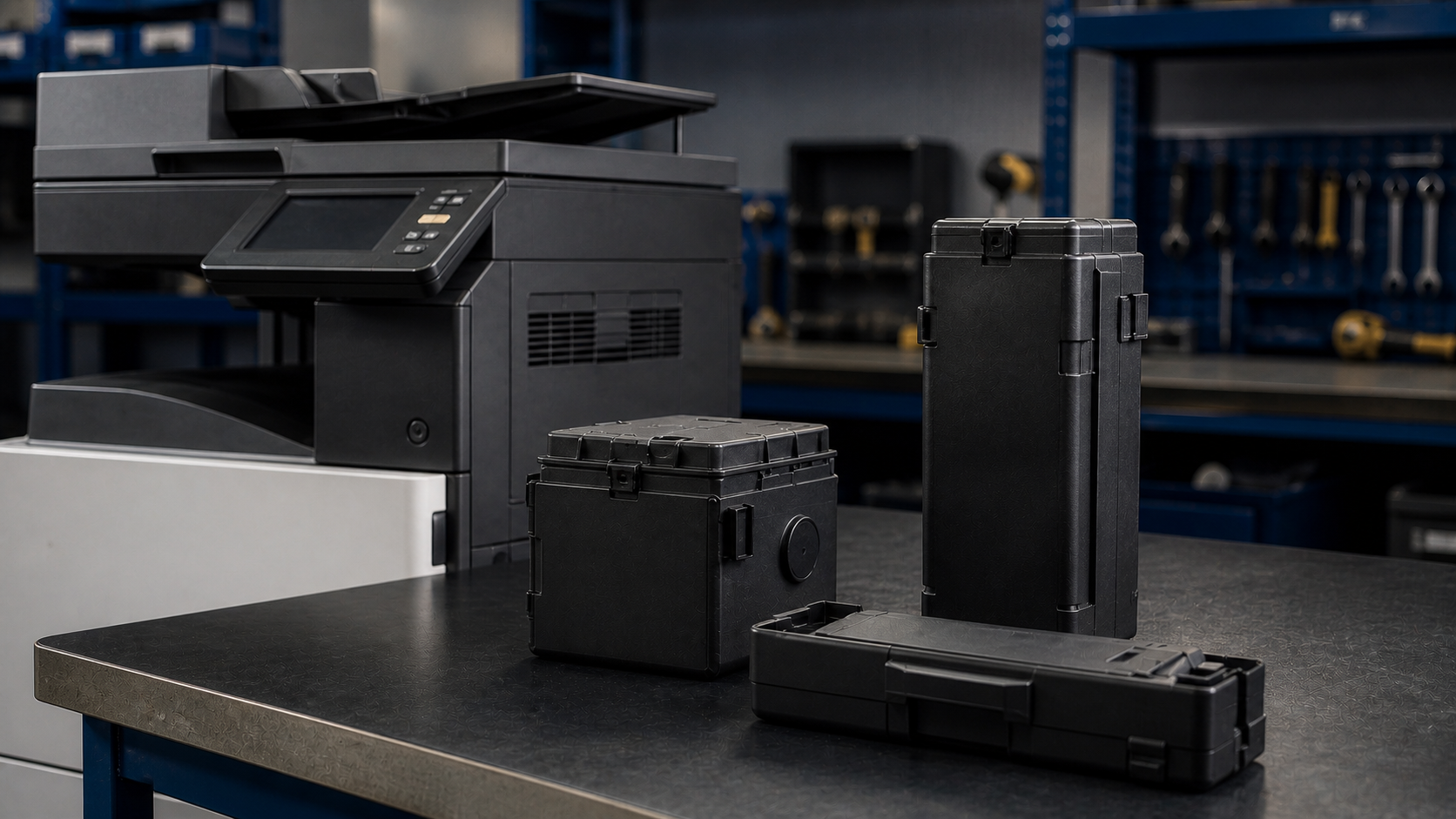
What Is a Waste Toner Box and How Does It Work?
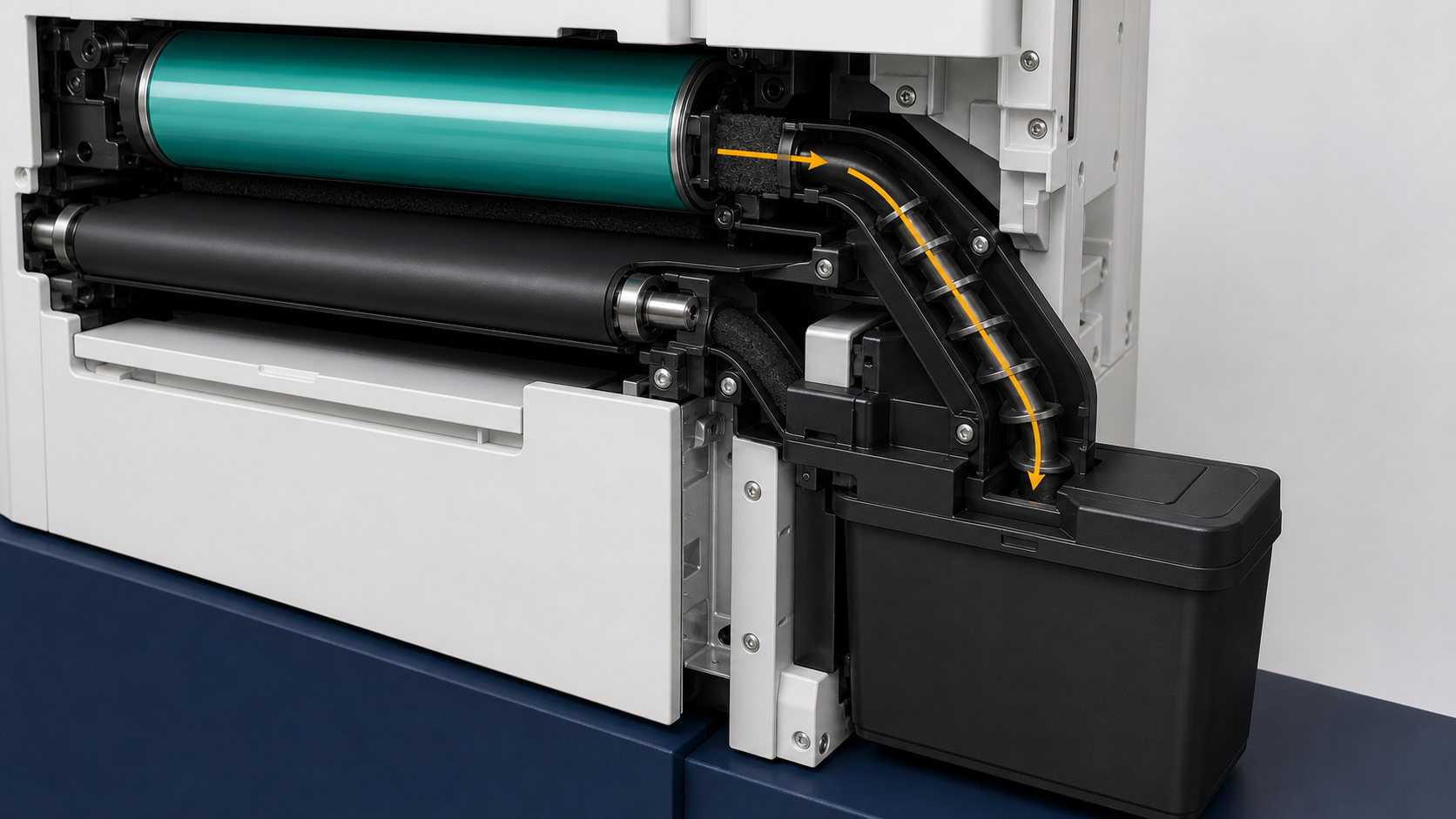
Electrophotographic printing does not transfer every toner particle to the page. Cleaning blades, brushes, augers, and transport paths remove residual toner from a drum, transfer belt, or other imaging surface. The collection system moves that material into a designated receptacle so it does not accumulate inside the machine.
The waste receptacle is not the toner cartridge that supplies printable toner, and it is not necessarily part of the drum or imaging unit. Machine architectures differ, so the container can be a separate bottle or box, an integrated section of another assembly, or a scheduled replacement supplied with a toner kit. A sensor or mechanical interface may detect position, capacity, movement, or a related operating condition.
A photograph alone is not a safe basis for compatibility. Two containers can look alike yet differ at the shutter, neck, sensor flag, keyed rib, sealing surface, or mounting point.
What Does "Waste Toner Bottle Full" Mean?
A waste toner bottle full message usually means the machine has reached its replacement threshold. Depending on the design, that conclusion may come from a physical sensor, an operating estimate, a drive-load condition, or a combination. A nearly full or prepare message is a purchasing signal; a full or replace message is an action signal. Any remaining operating window varies with the device and its usage.
Do not assume that shaking the bottle, restarting the copier, or clearing a menu will create usable capacity. Those actions may only hide a symptom while loose toner, a blocked inlet, or an unsupported counter state remains.
What to Check If the Full Message Remains
- Confirm the complete machine model, suffix, and destination region.
- Confirm the installed container's OEM reference and revision.
- Remove and reinstall it according to the manual without forcing it.
- Inspect only user-accessible seating points, shutters, tabs, caps, and packaging restraints.
- Close every cover fully and allow the normal initialization cycle to finish.
- Escalate a persistent sensor, auger, drive, or transport-path fault to a trained technician.
How to Replace a Waste Toner Container Safely
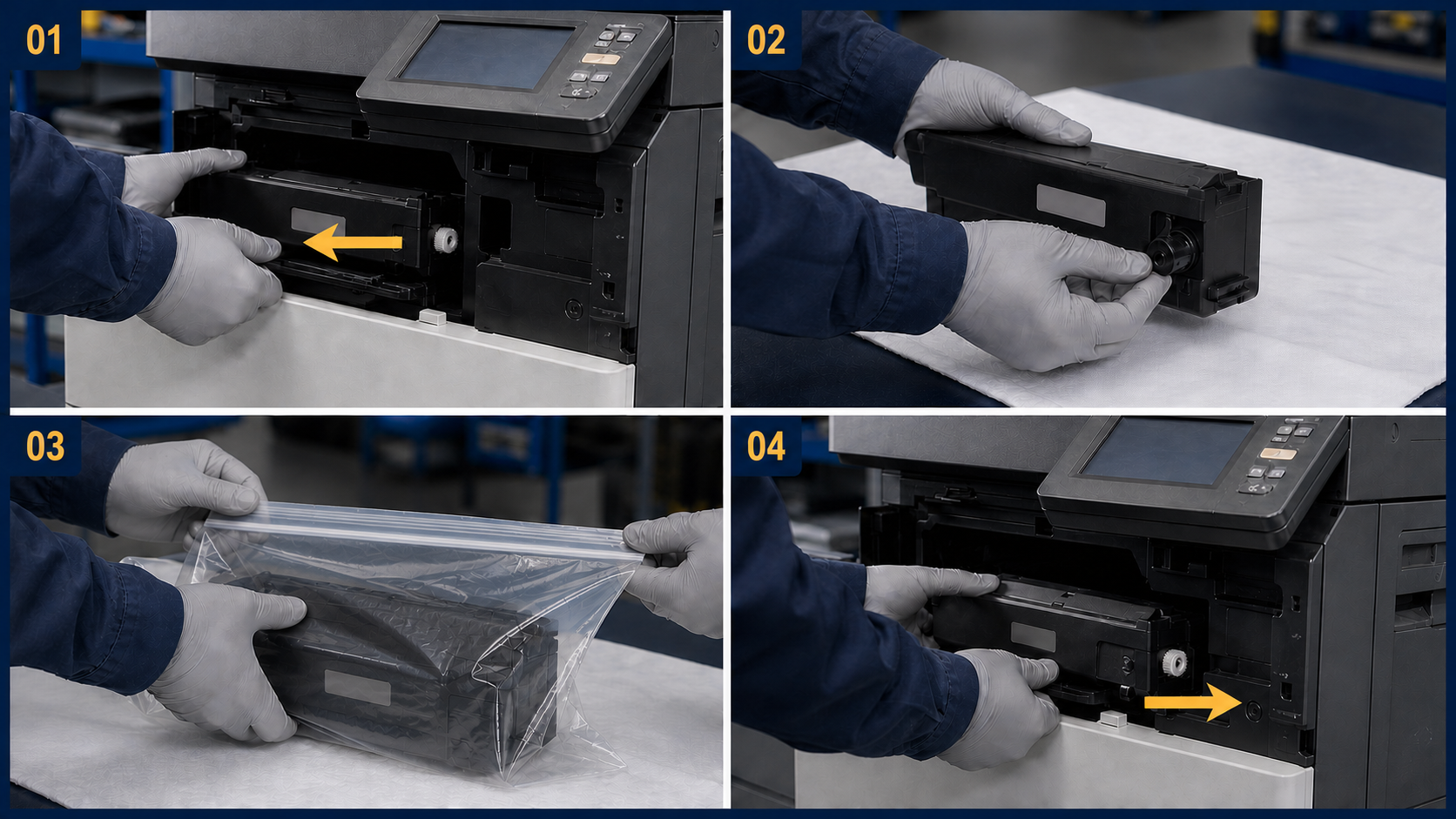
The exact door, lever, cap, and menu sequence is model-specific. Replacement steps can differ even within one manufacturer's product families. Use the device's on-screen guidance and official user or service documentation; the framework below does not replace those instructions.
Before Removal
- Pause jobs as instructed and let the device reach the state specified in its manual.
- Put the correct new container, a suitable disposal bag, and the supplied caps or seals within reach.
- Protect the work area with disposable paper and keep food and drinks away.
- Avoid hot, high-voltage, light-sensitive, or technician-only areas.
During Replacement
- Keep the used unit level and support it with both hands where appropriate.
- Pull it only in the direction stated in the documentation.
- Close its shutter, cap, or supplied seals immediately.
- Do not squeeze, tip, dismantle, or strike the container.
- Place it directly into the provided bag or other packaging specified by the manufacturer.
- Align the replacement with its keys and rails, then push only at the intended handling points.
After Installation
- Confirm the new part is fully seated, close the cover, and allow the machine to initialize.
- Print a controlled test page and check that the message clears without leakage, streaks, backgrounding, or unusual noise.
- Record the device ID, meter reading, installed part reference, batch identifier, date, and technician for future diagnosis.
Compatibility support
Need the Correct Waste Toner Box for Your Market?
Select your destination country or region, then send the OEM reference, full machine model and suffix, and required quantity.
Why You Should Not Empty or Reuse a Sealed Waste Toner Bottle
Waste toner is not clean production toner. It can contain mixed colors, paper fibers, additives, and material altered by its path through the machine. Reintroducing it into a toner supply can damage print quality or equipment. Keep a sealed container closed unless the manufacturer's authorized procedure explicitly says otherwise.
Do not burn a toner container or expose it to flame. Avoid breathing dust and follow the applicable product safety information. For spills, follow the equipment manufacturer's safety instructions and do not improvise with unapproved cleanup equipment. Follow local collection, storage, carrier, and waste requirements.
Why Waste Toner Containers Fill at Different Rates
A quoted service life is not a timer or a guarantee. Waste generation changes with image coverage, color balance, calibration cycles, job length, environmental conditions, startup frequency, cleaning events, and the condition of related imaging parts. A short-run color fleet can behave differently from a monochrome machine printing long, stable jobs.
Normal Factors That Affect Fill Rate
- Page coverage and the balance of color versus monochrome output.
- Frequent short jobs, warm-ups, calibrations, and cleaning cycles.
- Media, humidity, temperature, and operating environment.
- The condition of drums, belts, cleaning components, and related consumables.
When Fast Filling Needs Diagnosis
A receptacle that fills unusually quickly deserves diagnosis. Possible contributors include abnormal background toner, repeated calibrations, a worn cleaning component, incorrect consumables, a restricted transport path, or a sensor or drive fault. Replace the full container first when instructed, then review print samples, service history, event logs, and relevant maintenance components. Do not blame the box simply because it is where the evidence accumulates.
B2B Waste Toner Box Buying Checklist
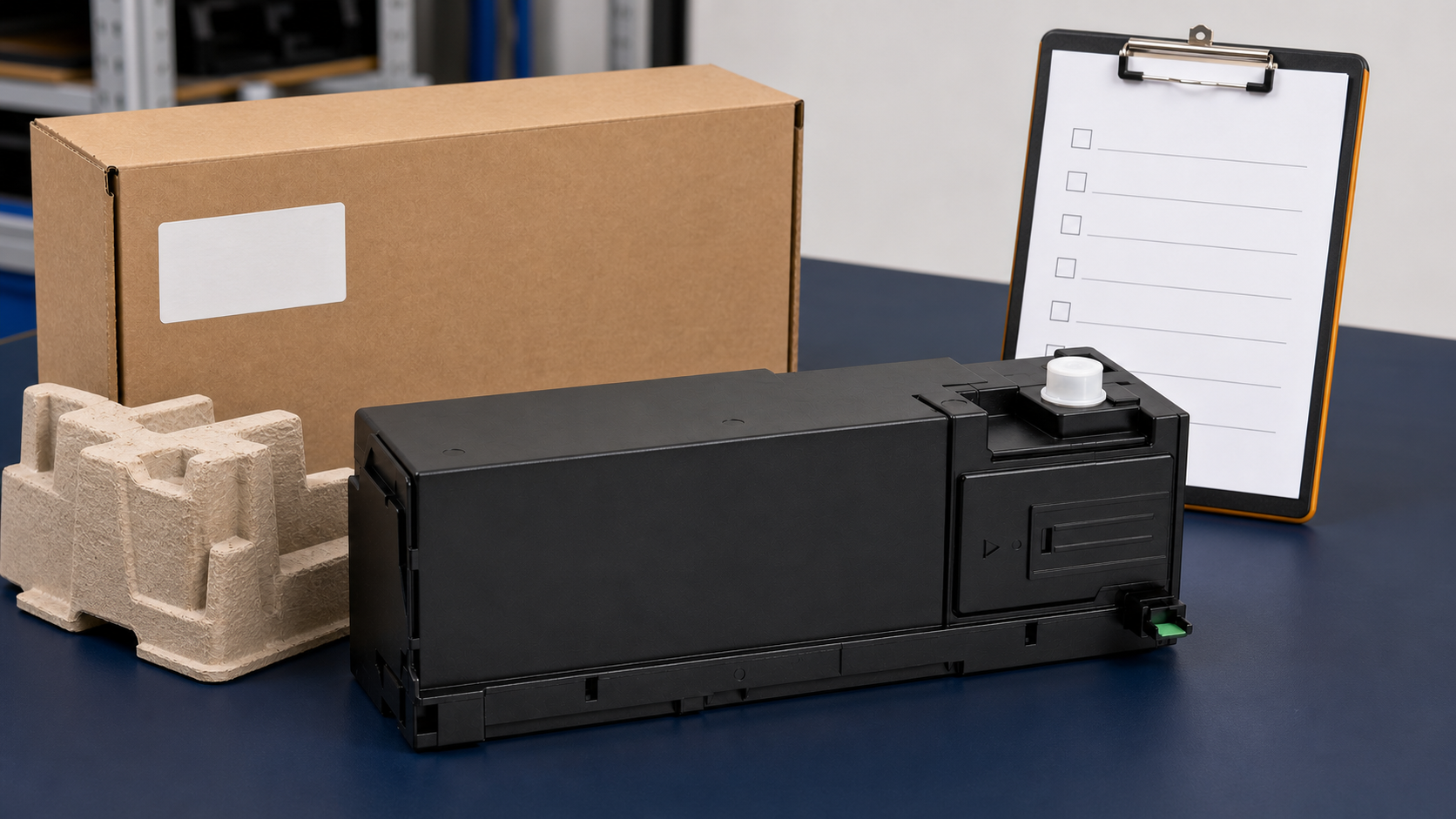
The purchasing objective is more than matching an outer shape. The exact part identity, machine configuration, and destination requirements should be reviewed before a quotation is prepared.
Compatibility Information to Send
- OEM part number printed on the old part, label, carton, or service record.
- Complete machine model and suffix, not only the family name.
- Destination country or market.
- Clear photos of the old part from all sides and its label.
- Required quantity and expected replenishment schedule.
- Any related message, sensor flag or interface, shutter, cap, seal, or packaging requirement.
- Whether neutral or customer-branded packaging is requested.
What the Supplier Should Verify
Ask how identity, fit, sealing, shutter operation, sensor interface, transport protection, and packing cleanliness will be checked for the exact requested configuration. Those checks should be product-specific; a generic tested claim says very little.
Waste Toner Box FAQs
What Is the Difference Between a Waste Toner Box and a Toner Cartridge?
A toner cartridge supplies toner for printing; a waste toner box receives residual toner removed during cleaning. Some machines integrate waste storage into another assembly, so always verify the machine architecture.
How Do I Know Which Waste Toner Box Fits My Printer or Copier?
Match the OEM reference, complete machine model and suffix, region, and physical interface. Use photos as supporting evidence, not as the only compatibility check.
Can I Keep Printing When the Waste Toner Box Is Nearly Full?
Some machines allow a limited interval after a preparation message; others stop soon afterward. Prepare the correct replacement immediately and follow the display and manual.
Why Does the Full Message Remain After Replacement?
The container may be incorrect, not fully seated, still fitted with a transport restraint, or unable to actuate the expected interface. A cover, sensor, drive, or toner transport problem may also be involved. Recheck the official procedure, then escalate rather than bypassing detection.
How Often Should a Waste Toner Container Be Replaced?
Replace it when the device instructs you to do so or at the interval stated in its documentation. Actual intervals vary with coverage, job pattern, calibration behavior, environment, and machine condition.
Can I Empty or Reuse a Sealed Waste Toner Bottle?
Do not empty or reuse a sealed bottle unless the manufacturer provides an authorized procedure for that exact design. Waste toner is contaminated material and is not suitable for return to the toner supply.
How Should a Used Waste Toner Container Be Stored or Shipped?
Close its cap or seals, keep it level, bag it, and place it in the specified protective packaging. Follow the manufacturer's return instructions and all applicable destination, carrier, and waste rules.
The safest response to a full waste toner box is simple: match the exact part, replace it through the documented procedure, seal the removed unit, and investigate only if the warning or abnormal fill rate persists.
For a compatibility review, send HBtoner the OEM reference, full machine model and suffix, destination market, required quantity, and clear photos of the part and label.
These details support review of the requested configuration and any packaging, sensor-interface, or validation questions before quotation.
B2B product inquiry
Request a Waste Toner Box Quote
Send your company name, email, country or region, full machine model and suffix, OEM part number, quantity, packaging preference, and any photos or warning details.