Distinguish waste collection from image formation, follow the correct bizhub replacement guidance, and specify each service assembly before ordering.
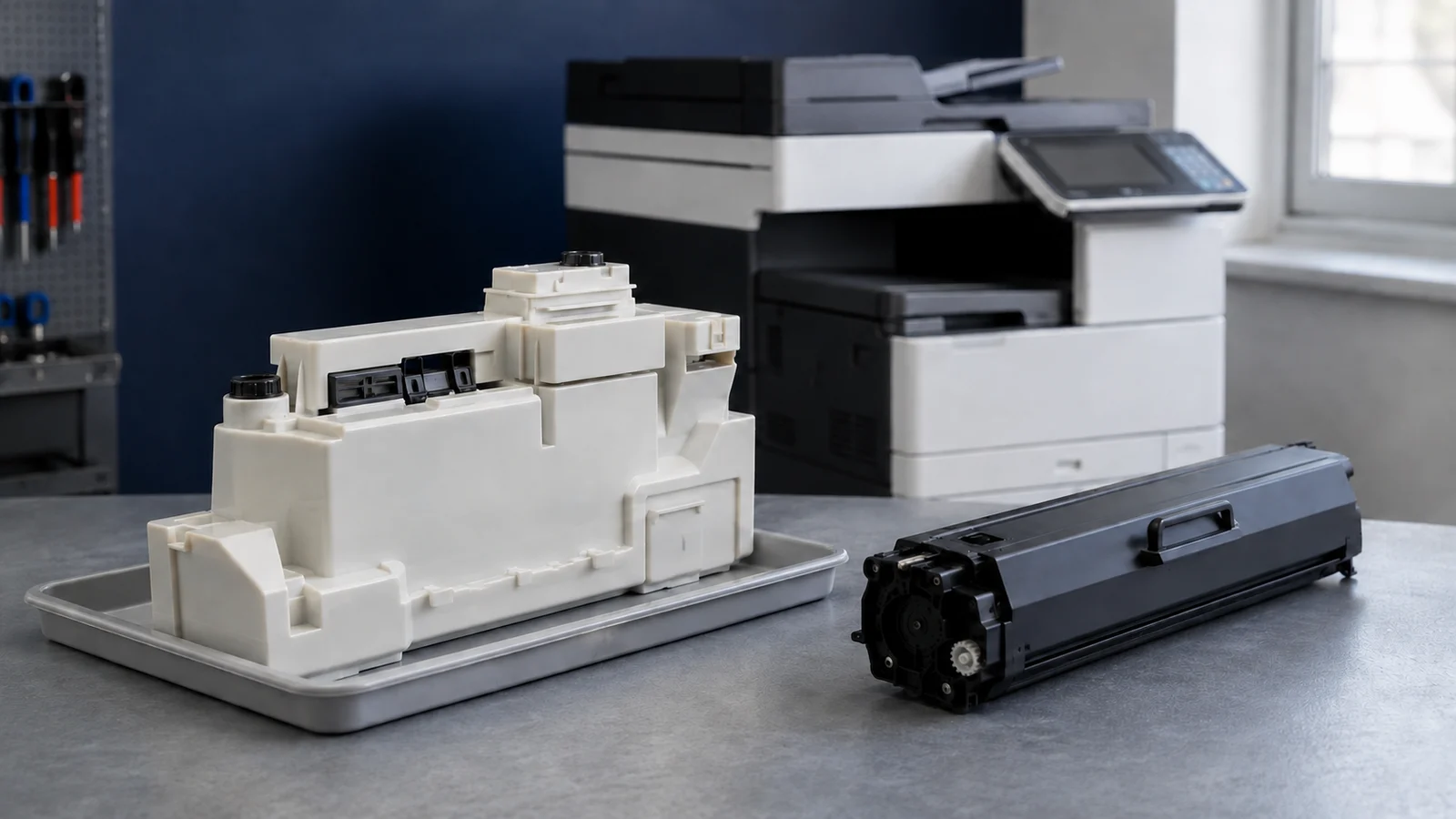
A Konica Minolta waste toner box collects residual toner; an imaging unit helps form the printed image. They are separate assemblies with different replacement triggers, even when they sit behind the same cover. Before ordering or opening the machine, record the complete model, exact message and OEM part reference, then check who is allowed to perform the work.
Cover image: Representative assemblies shown for identification; their appearance does not establish compatibility with a particular machine.
Identify the assembly before choosing a replacement
The waste box stores toner removed during cleaning, while a toner cartridge supplies toner for new pages. A drum carries the electrostatic image; the assembly sold as an imaging unit may include additional components depending on the machine. Do not treat drum unit, imaging unit and developing unit as interchangeable order descriptions.
On narrow screens, swipe horizontally to compare all columns.
| Assembly | Main role | Evidence to check |
|---|---|---|
| Waste toner box | Collects residual toner | Exact capacity or installation message and part reference |
| Imaging or drum unit | Forms or carries the image | Named assembly, color, life message and model-specific diagnosis |
| Toner cartridge | Supplies toner | Low or empty message, color and approved reference |
| Fuser | Fixes toner to paper | Fixing symptoms and the official troubleshooting sequence |
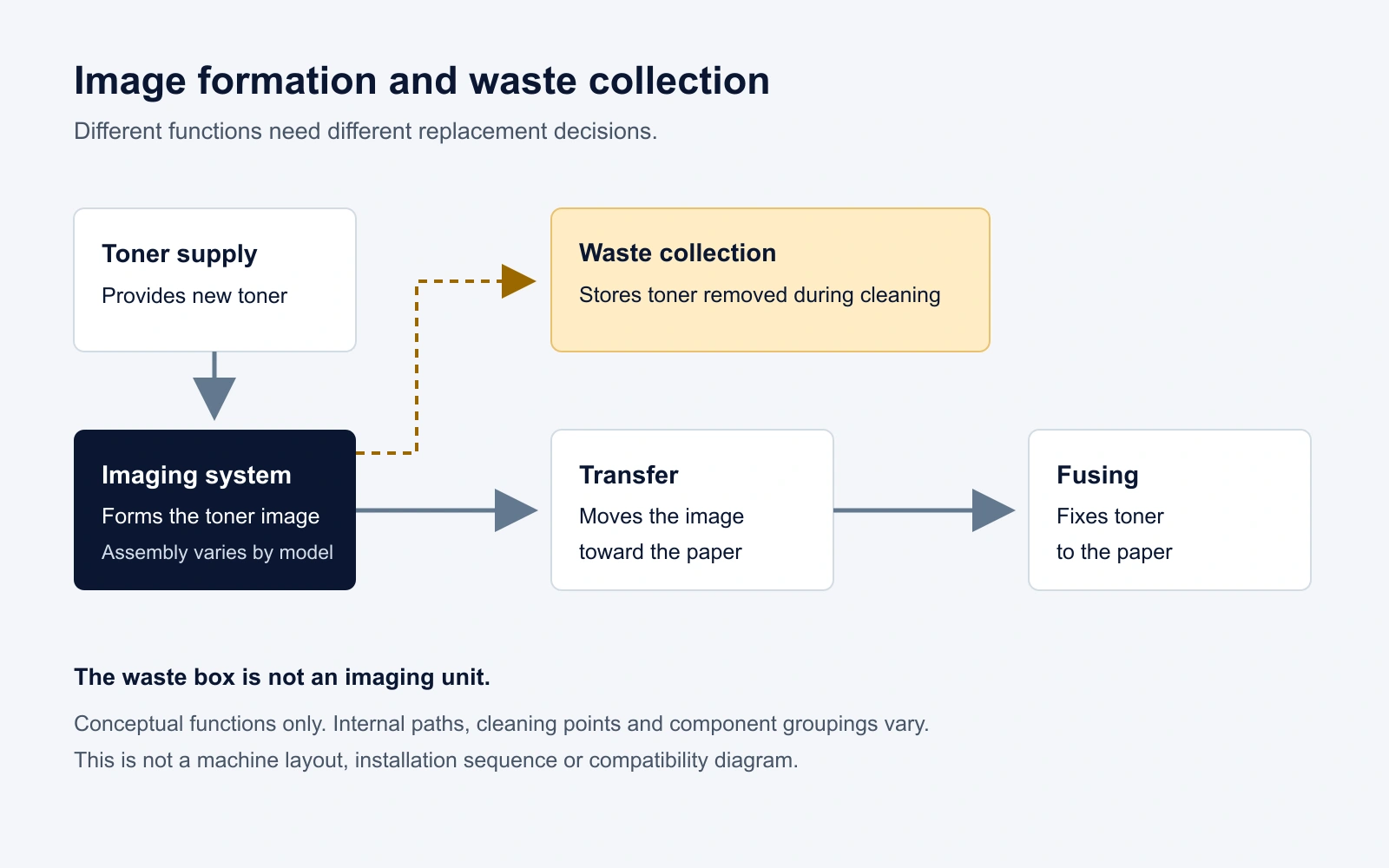
Read our guide to drum units and how they differ from toner.
Read the exact waste box message
A near-full notice is a reason to prepare the specified replacement, without promising a remaining page count. A full or replace message requires the action shown for that model. On the bizhub C3851FS, C3851 and C3351, the official waste-bottle guide states that a full bottle stops printing until it is replaced.
A message that remains after installation is a separate problem to investigate. The word full alone does not establish a sensor fault, a blocked transport path or a damaged imaging unit. Photograph the complete message and any code before reseating parts or requesting service.
Use the instructions for the complete model
These official examples show why a shared brand name is not enough to choose a procedure. They illustrate differences in handling and service responsibility, not cross-model compatibility.
On narrow screens, swipe horizontally to compare all columns.
| Model family | Official example | What it changes |
|---|---|---|
| bizhub C287 and C227 | Waste box guidance calls for prompt capping and separate bagged storage. | Prepare the specified closure and packaging before removal. |
| bizhub C3851FS C3851 C3351 | The imaging-unit guide identifies the color and specifies removal of neighboring assemblies. | Follow the complete illustrated sequence and maintenance arrangement. |
| bizhub C759 C659 and AccurioPrint C759 | Imaging-unit replacement is assigned to a service representative. | Arrange service instead of attempting the replacement yourself. |
The C287 and C227 message guide also distinguishes drum, developing-unit and imaging-unit notices, with some behavior depending on region or service settings. For an Accurio production machine, use its own manual and service arrangement rather than adapting an office bizhub procedure.
Replace a waste toner box with preparation and containment
Use the following checkpoints alongside the exact manual, including its power-state and access instructions. They are not a universal door, latch or reset sequence.
- Match the replacement reference to the complete model and prepare the documented cap, bag, carton and work-area protection.
- Open only the specified cover and release the illustrated lock, leaving adjacent assemblies in place unless the instructions require their removal.
- Support the used container as shown, avoid tilting it and close the designated opening promptly where a cap is specified.
- Place the used container in its specified packaging and keep it separate until the appropriate collection or disposal route is confirmed.
- Remove only the new part’s documented transport protection, seat and lock it as shown, then close the covers and finish the displayed guidance.
Stop if a part resists seating, a latch will not close normally, or toner is escaping. Do not improvise a sensor bypass or use a service reset copied from another model.
Check the C287 and C227 waste-box instructions and handling warnings.
Sourcing a replacement for your market? Tell HBtoner the destination country, complete model, OEM reference and quantity so the configuration can be reviewed before quotation.
Send the model and destination country to HBtoner.
Check a warning that remains after replacement
- Compare the supplied reference with the complete model and the configuration confirmed for the order.
- Recheck seating, documented transport protection, locks and cover closure using the same model’s instructions.
- Record whether the wording changes after the documented closeout, including any restart or acknowledgement only when specified.
- If the warning persists, send service personnel the exact message, part labels, installation history and any visible leakage or damage.
A collection-path or detection problem is a possibility for a technician to assess, not a conclusion established by the message. Avoid repeated removal, dismantling or cleaning of sensors when the user guide does not authorize it.
Investigate image defects before ordering an imaging unit
Replacing a waste box does not repair a worn photoconductor or establish why lines and spots appeared. A print defect and a capacity warning can occur together without sharing one cause. Use the machine’s quality pages and official troubleshooting tree, and preserve samples for the technician.
On narrow screens, swipe horizontally to compare all columns.
| Observation | Useful next evidence | Limit of the observation |
|---|---|---|
| One color is affected | Color identity, internal test pages and the exact maintenance message | Does not prove that its drum is the failed part |
| Copies differ from internal prints | Same original, paper and settings; scan or copy samples | Does not justify replacing every imaging unit |
| Marks repeat or toner fixes poorly | Spacing, position, media settings and the relevant fault tree | Different rotating parts or process settings may be involved |
The bizhub 4000P and 4700P guide, for example, checks paper settings and other conditions within its print-quality troubleshooting sequence. Use that as a reason to gather evidence, not as a replacement procedure for a different machine.
Consult the relevant print-quality section in the 4000P and 4700P user guide.
Protect the drum and contain used toner
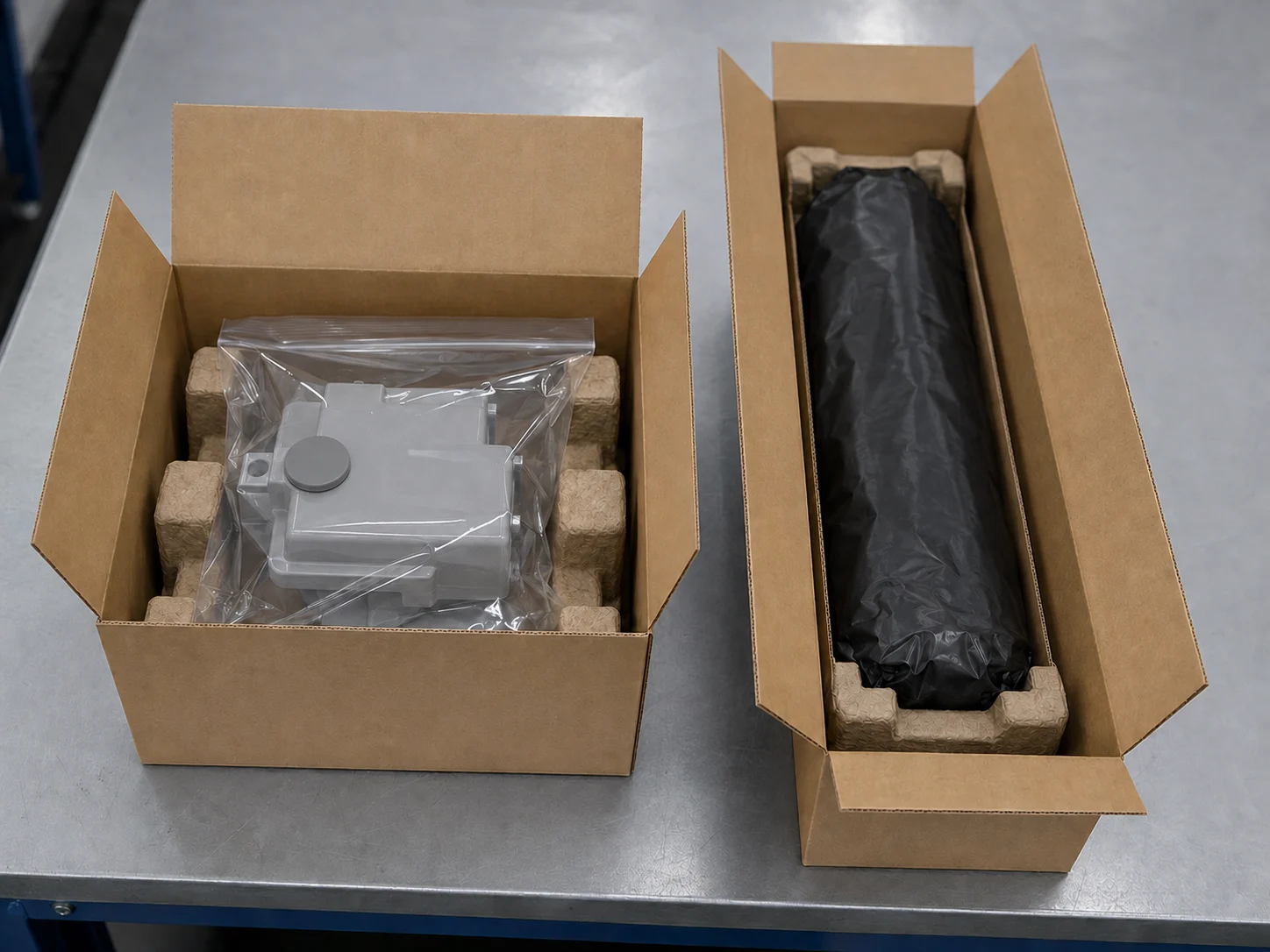
Keep an imaging unit in the manufacturer’s protective packaging until the documented installation step requires removal. Do not touch the photoconductor surface or electrical terminals, and do not remove a protective cover just to photograph the drum. The C759 family guidance specifically uses a black plastic bag to protect the imaging unit from light.
Keep toner and toner-containing parts away from flames and children, and do not force open a waste box or pour its contents into a toner cartridge. For a spill or exposure, follow the exact product safety instructions and contact the service representative when the appropriate cleanup method is unclear. Confirm the local collection route before moving used parts into a shipment.
Specify waste boxes and imaging assemblies separately
Use separate RFQ lines for the waste box and each required imaging, drum or developing assembly. List K, C, M and Y separately only where the machine actually uses separate color assemblies.
- Provide the OEM reference, complete model and suffix, destination country, assembly type and color where applicable.
- Include quantities, replenishment timing and neutral-label or private-label packaging requirements.
- Keep label and interface photos ready for follow-up without opening light-protective packaging unnecessarily.
- Ask what fit, sealing, recognition, functional or print checks apply to each proposed assembly and what records will accompany the order.
A waste box’s collection capacity, an imaging unit’s life estimate and a toner cartridge’s page yield describe different measures. Request the test conditions behind any marketed number instead of treating them as one interchangeable page rating. HBtoner confirms supported references, quantities, packaging and lead time for the specific inquiry before quotation.
Use our OEM and compatible toner buying guide for the wider supplier review.
Frequently asked questions
Is a bizhub imaging unit the same as a waste toner box?
No; image formation and waste collection are different functions, and the assemblies have different replacement triggers.
Can I empty the waste box and reinstall it?
The cited waste-container procedures direct replacement and contained collection or disposal, so do not treat emptying as an approved substitute.
Will replacing the waste box remove lines and spots?
It does not establish or repair the cause of a separate image defect; use the exact machine’s troubleshooting guidance.
Can users replace every Konica Minolta imaging unit?
No; the model, regional guidance and maintenance arrangement control the work, and some manuals explicitly assign it to a service representative.
Is there a universal waste box reset?
Do not assume one exists; finish the documented replacement and investigate a persistent message without bypassing detection.
Request the correct Konica Minolta configuration
Send HBtoner the destination country, complete model, OEM reference, assembly type and quantity. For an imaging concern, add the affected color, exact message, meter reading and a brief description of the print samples. Include your required delivery timing and packaging needs, and keep label photos available for follow-up.
Start a configuration inquiry with HBtoner.
Brand and product names identify compatibility only. HBtoner is an independent supplier and is not affiliated with or endorsed by Konica Minolta.
Official references
- bizhub C287 and C227 waste toner box replacement
- bizhub C3851FS C3851 and C3351 waste toner bottle replacement
- bizhub C3851FS C3851 and C3351 imaging unit replacement
- bizhub C759 C659 and AccurioPrint C759 imaging unit replacement
- bizhub C287 and C227 consumable replacement messages
- bizhub 4000P and 4700P user guide